Audio
Voices and voice cloning
Free system voices work straight away. For natural voices, and to clone your own, add an ElevenLabs key.
Free Windows system voices
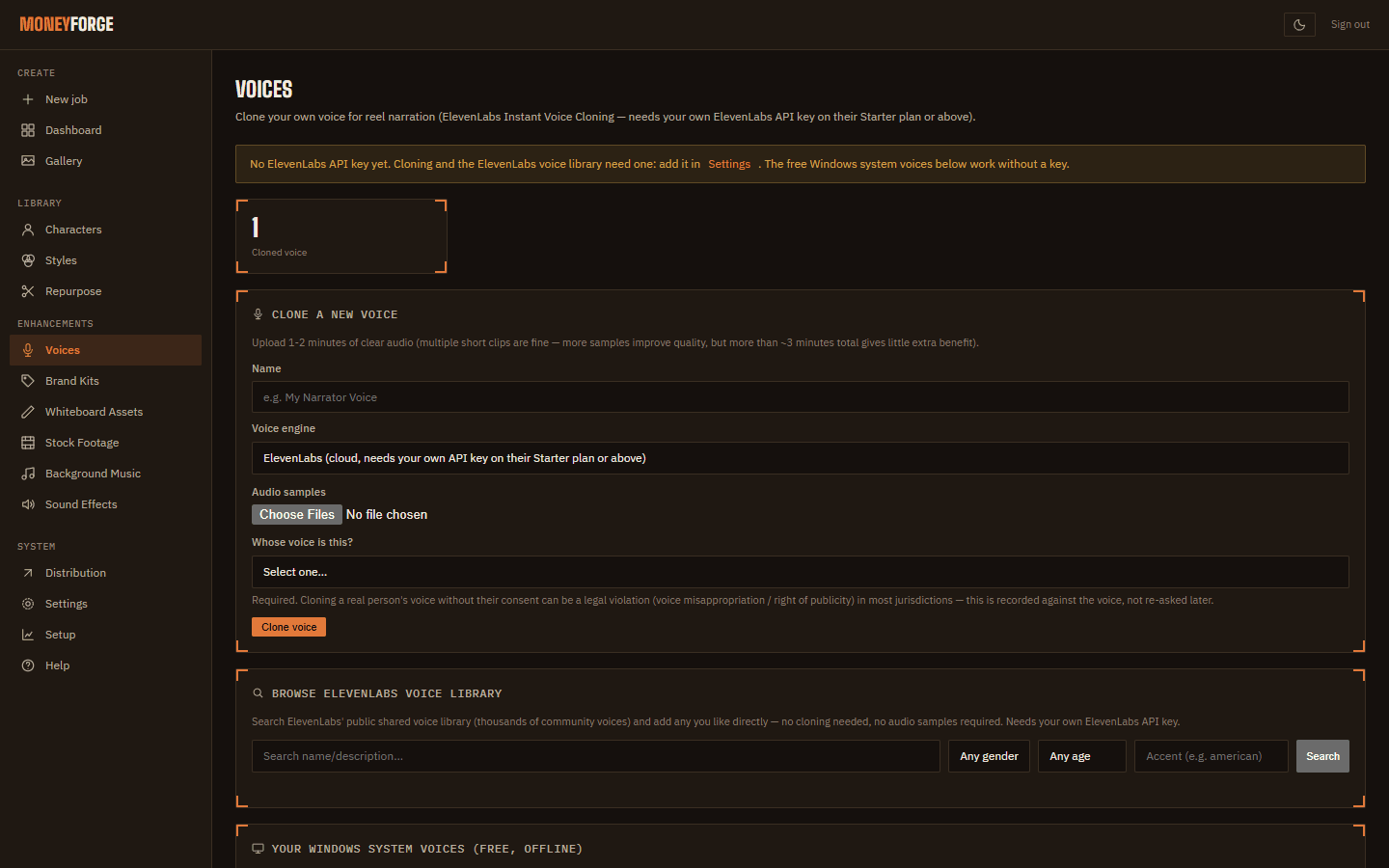
Open Voices. Under Your Windows system voices (free, offline), click + Add next to any voice. Windows includes more voices under Settings → Time & language → Speech → Add voices.
Add your ElevenLabs key
ElevenLabs is a separate paid voice service. Natural voices, the voice library and cloning all use your own ElevenLabs account.
- Create an account at elevenlabs.io and copy an API key from your ElevenLabs settings.
- In MoneyForge open Settings → ElevenLabs API Key, paste it and click Save key.
When a key is set, narration text (and any voice samples you upload) is sent to ElevenLabs.
Browse the ElevenLabs voice library
On Voices, Browse ElevenLabs voice library searches thousands of community voices, with gender, age and accent filters. Click + Add to use one. No recording needed.
Clone your own voice
Cloning needs an ElevenLabs Starter plan or above.
- Record 1 to 2 minutes of yourself speaking naturally: a quiet room, no music or echo, phone or headset mic close to your mouth. Save it as .mp3 or .wav.
- On Voices, under Clone a new voice, enter a Name.
- Voice engine: ElevenLabs.
- Audio samples: choose your recording (you can add more than one file).
- Whose voice is this?: confirm it's your own voice, or that you have the speaker's permission. This is required every time; cloning someone's voice without permission is illegal in many places.
- Create the voice. It appears in your list and in every Voice menu on Create.
To narrate with it, choose it as the reel's Voice, or set it as a character's Default voice.
The free local voice clone (no ElevenLabs needed) is not available in the installed app in version 1.0.3. It shows as "not available in this version yet". Use ElevenLabs for cloning for now.
Home · User Guide · Support · Privacy Policy · Terms of Service