Publishing
Posting and scheduling
Connect your own accounts once, then post from the Gallery, auto-post when a job finishes, or let a series generate and post on a schedule.
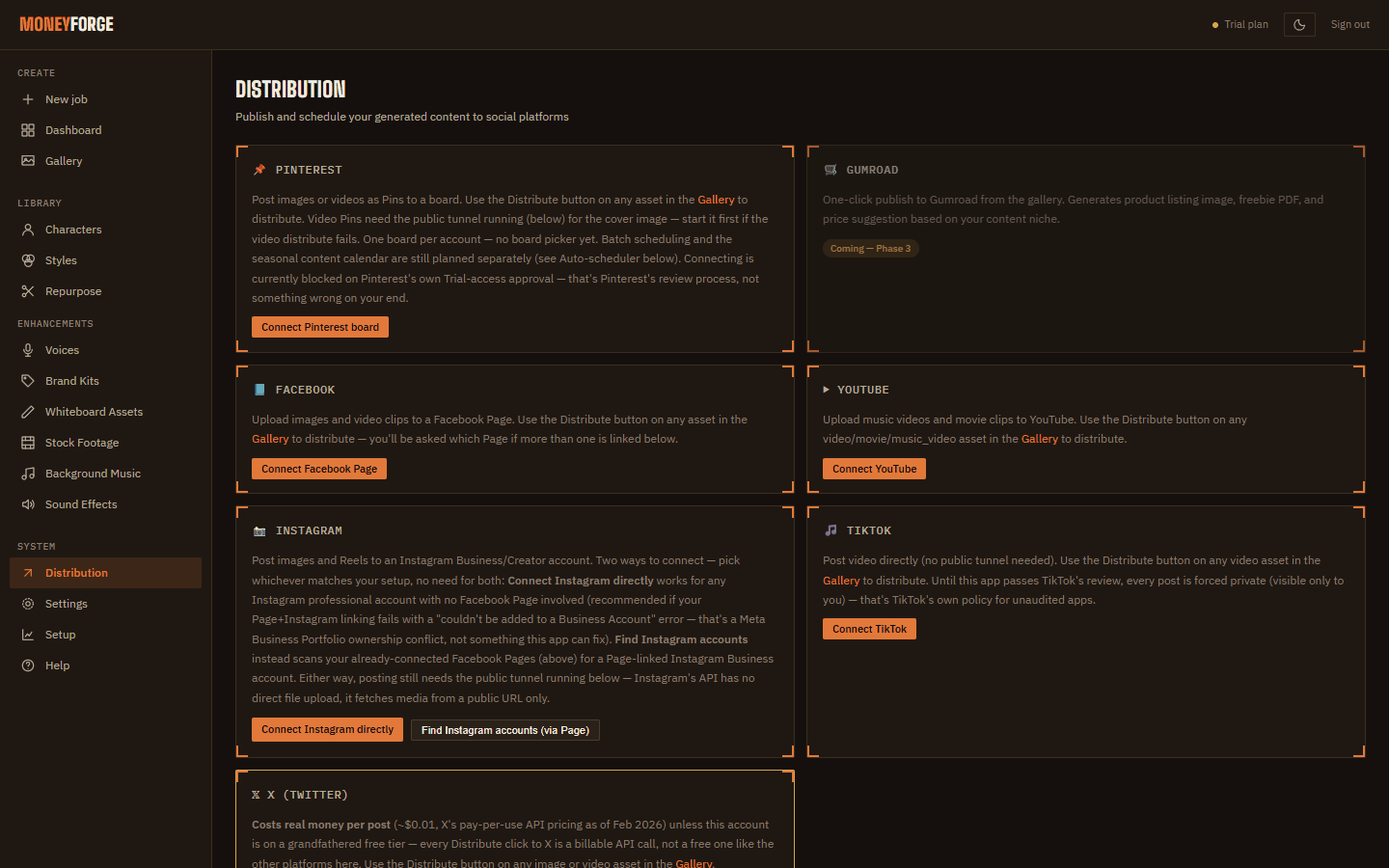
Connect accounts
Open Distribution and connect each platform. You sign in on the platform's own page; MoneyForge never sees your password.
| Platform | Notes |
|---|---|
| YouTube | Public, Unlisted or Private uploads. |
| Posts to a Facebook Page you manage. | |
| Professional (business or creator) account linked to a Facebook Page. Needs the public tunnel (below). Instagram has no private or draft posts. | |
| TikTok | Posts can be set to "Only Me" while you test. |
| Waiting on Pinterest's developer approval. | |
| X | X charges the account for each post made through its API. |
Public tunnel
Instagram (and Pinterest videos) fetch your video from a web address, so MoneyForge needs a temporary public link to your computer. On Distribution, click Start tunnel before posting to Instagram, and Stop tunnel when you're done. Change the default admin password before you start it.
Post
- From the Gallery: Distribute on any item.
- Automatically: tick platforms under Auto-distribute on completion on Create. Posts go out within about 5 minutes of the job finishing.
Auto-scheduler series
A series writes, generates and posts reels on its own. Under Auto-scheduler click + New series and set the niche, Series name, optional Topic, Cadence (Twice daily, Daily, 3x per week, Weekly), Aspect ratio, Voice, Narration language and Auto-post to. Pause, resume or delete a series at any time.
Every scheduled reel passes a content-safety check first. It needs a Gemini key or the free local AI model; without one, scheduled reels are skipped rather than posted unchecked. Your computer must be on for a series to run.
Home · User Guide · Support · Privacy Policy · Terms of Service