Long to short
Repurpose a long video into clips
Upload a podcast, stream or talk, and MoneyForge picks the best moments and turns them into captioned shorts.
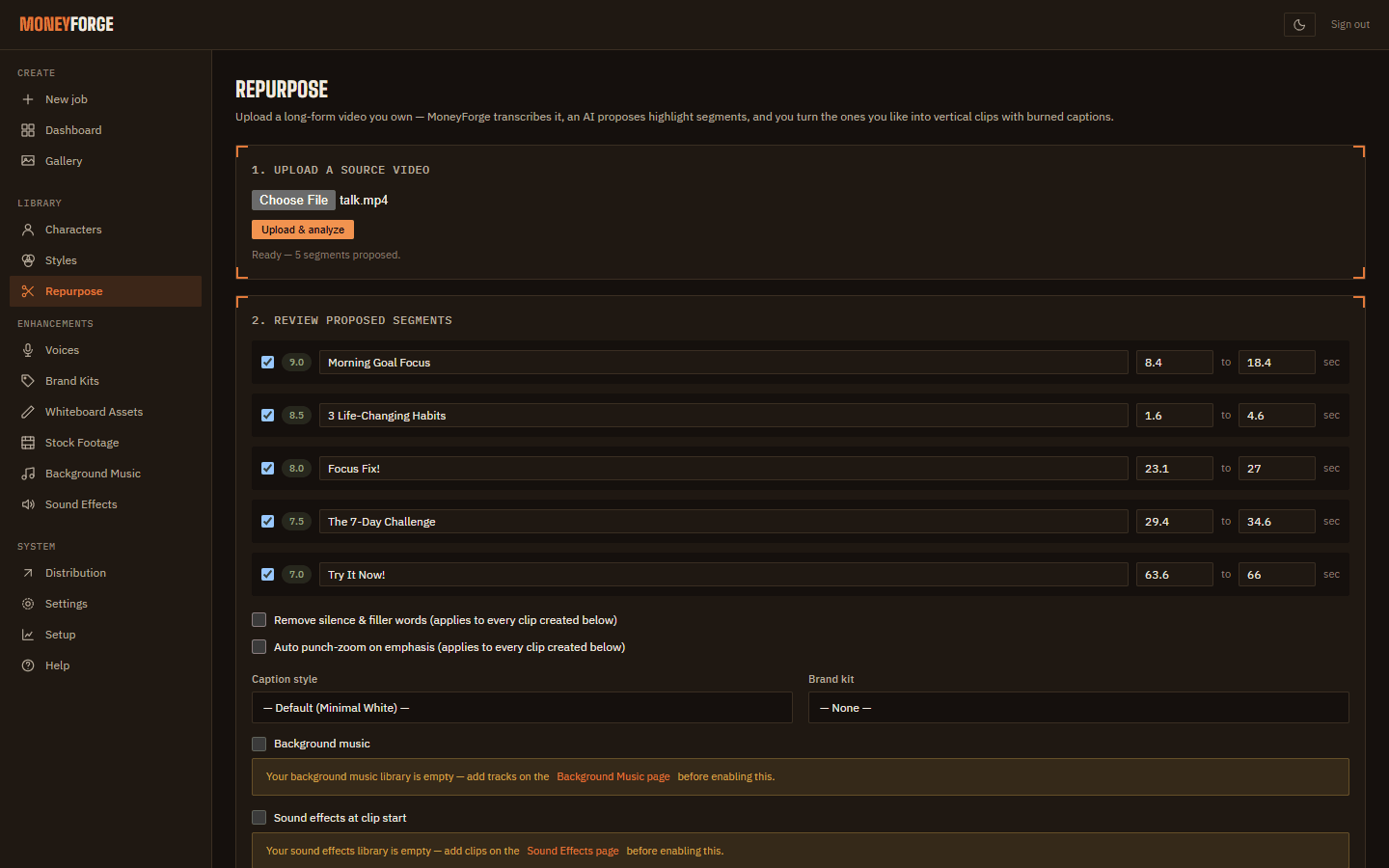
- Open Repurpose and choose Upload a source video, then Upload & analyze. MoneyForge transcribes it and proposes 1 to 10 segments of 20 to 90 seconds. Picking segments needs a Gemini key or the free local AI model, which automatic setup downloads (see Getting started).
- Review proposed segments: adjust start and end times, or drop ones you don't want.
- Choose options:
- Remove silence & filler words
- Auto punch-zoom on emphasis
- Caption style, Brand kit, Background music, Sound effects at clip start
- Click Create clips. Each clip appears in the Gallery as a reel.
The first transcription downloads a speech-recognition model once. Use videos you own or have permission to reuse.
Home · User Guide · Support · Privacy Policy · Terms of Service